
 English
 Français
 Español
 Português
 عربى
عربى



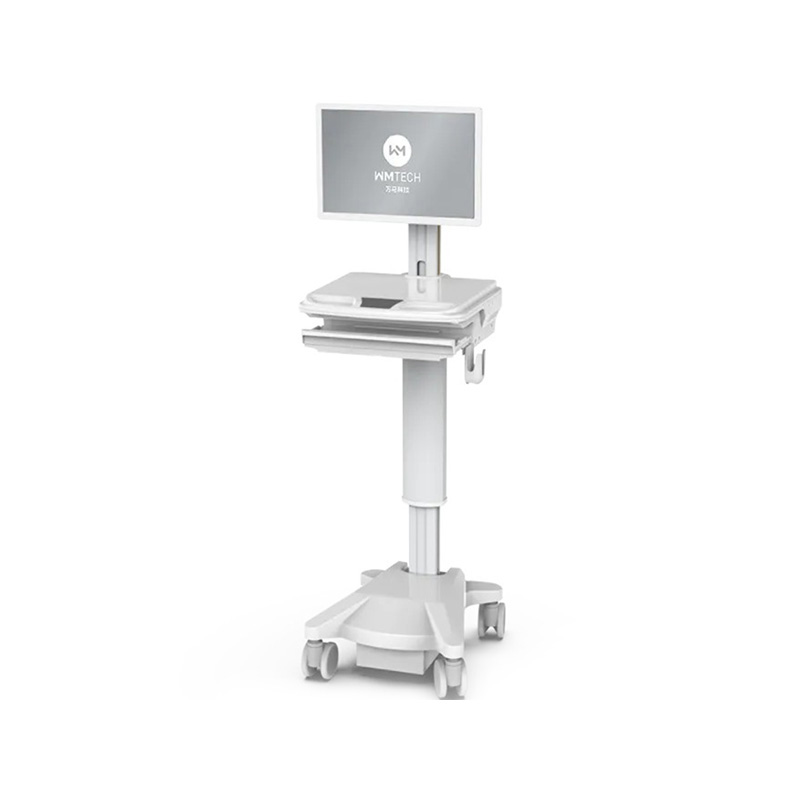
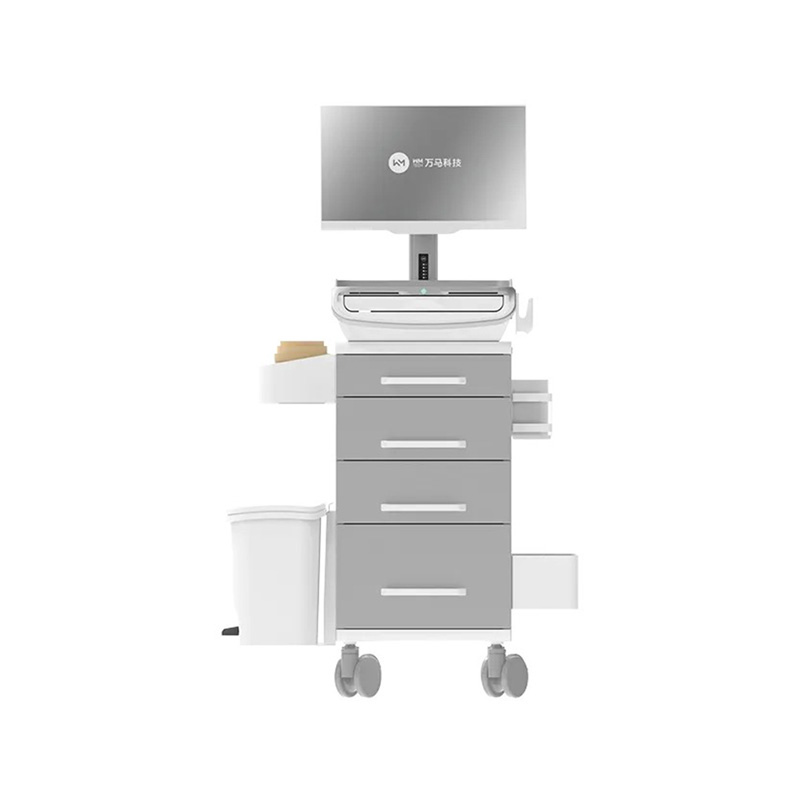
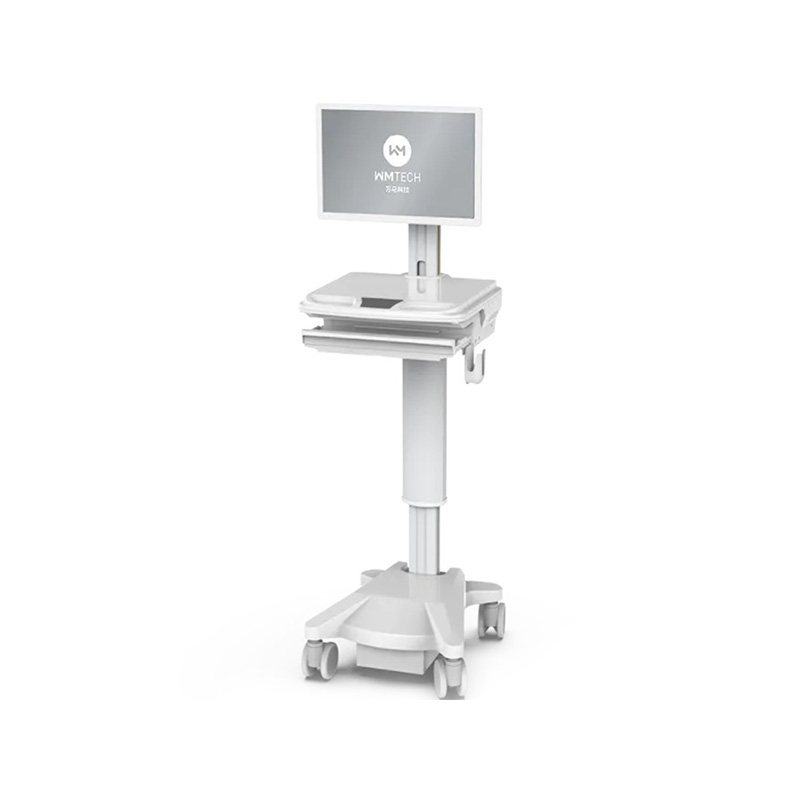
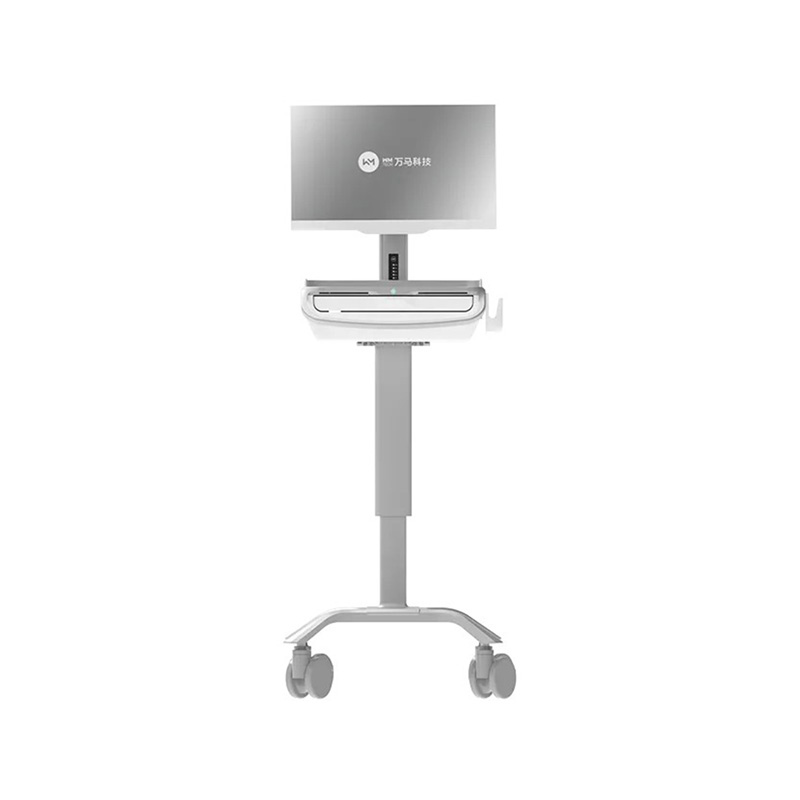
Modern healthcare environments demand mobility, efficiency, and seamless integration of technology at the point of care. The smart medical cart mobile clinical workstation has emerged as a transformative solution, enabling healthcare professionals to access patient information, manage orders, and deliver care directly at the bedside. These innovative systems combine computing power, ergonomic design, and clinical functionality into a single, mobile platform that addresses the complex workflows of contemporary hospitals.
What Define a Smart Medical Cart Mobile Clinical Workstation?
A mobile clinical workstation is far more than a conventional computer on wheels. It represents an integrated ecosystem designed specifically for healthcare environments, combining several critical components into a unified solution that supports bedside clinical decision-making.
Core Components and Architecture
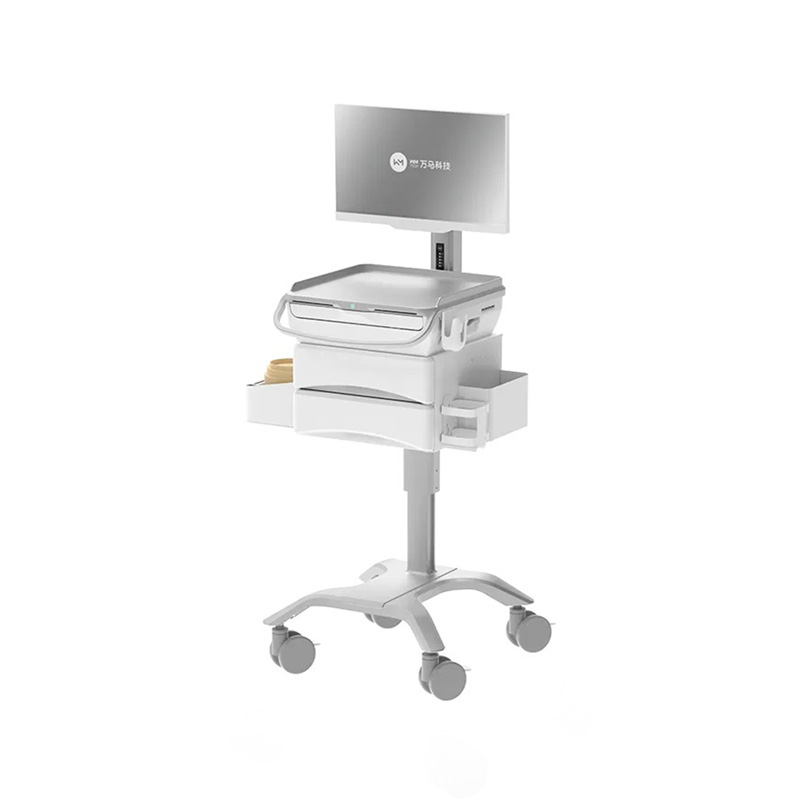
Smart medical carts integrate multiple technological elements to create a comprehensive clinical tool. The foundation includes a high-performance computing system with medical-grade processors capable of handling complex healthcare applications simultaneously. Display systems typically feature touchscreen monitors ranging from 15 to 22 inches, optimized for visibility in various lighting conditions while maintaining HIPAA-compliant screen privacy. The cart structure itself utilizes durable materials with antimicrobial finishes, addressing infection control requirements essential in hospital settings.
Battery systems form another crucial component, enabling mobility and independence from fixed power sources. Advanced lithium-ion batteries provide extended operating times, typically 8 to 12 hours per charge, allowing uninterrupted clinical workflows throughout nursing shifts. Charging solutions are thoughtfully integrated, supporting fast-charge capabilities during brief moments between rounds.
Key Functional Features
- Electronic health record (EHR) integration for real-time patient data access
- Order management systems enabling medication and lab order placement at bedside
- Barcode scanning capabilities for medication verification and patient identification
- Vital signs monitoring interfaces for real-time patient assessment
- Communication systems including secure messaging and nurse call integration
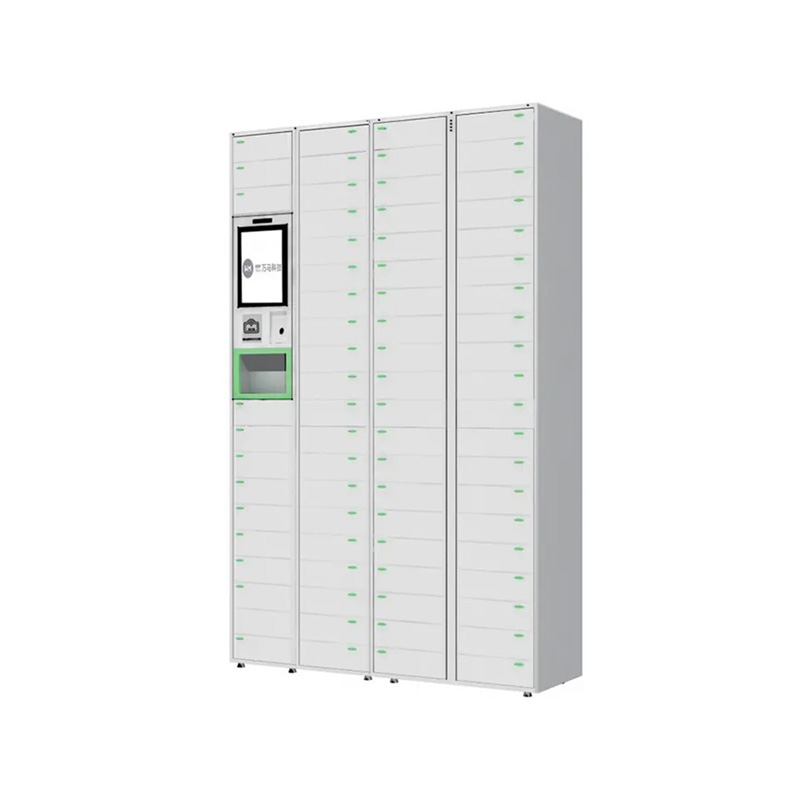
- Medication dispensing modules in advanced models
- Mobile point-of-care testing capabilities in specialized configurations
Benefits of Mobile Clinical Workstations in Hospital Operations
Healthcare facilities implementing medical computer cart solutions report significant operational improvements across multiple dimensions. These benefits extend beyond simple convenience, directly impacting patient safety, clinical efficiency, and staff satisfaction.
Enhanced Patient Safety and Accuracy
Bedside access to comprehensive patient records dramatically reduces medication errors. When nurses can verify patient identity through integrated barcode systems and cross-reference medications against current orders and allergies at the point of administration, errors decline substantially. Studies in healthcare settings show that point-of-care information systems reduce adverse events by enabling real-time verification before clinical actions occur.
The capability to access complete patient histories, current medications, and recent vital signs at bedside enables more informed clinical decisions. Nurses can identify potential drug interactions, verify dosing calculations, and confirm patient-specific precautions before administration.
Workflow Efficiency and Time Savings
Eliminating trips to central nursing stations represents a significant efficiency gain. When clinical workstations move with care providers rather than requiring return trips for documentation and order entry, nursing time becomes more productive. Data indicates that bedside computing systems can reduce documentation time by 20-30 percent compared to traditional charting methods.
Mobile order entry eliminates delays in processing medication and treatment orders. Instead of writing orders and waiting for transcription or manual entry, providers can enter orders directly into the system at the patient bedside, accelerating care delivery.
Improved Communication and Coordination
Integrated communication platforms on medical carts enable instant messaging between care team members. Nurses can communicate with physicians, respiratory therapists, and other specialists without leaving the patient's room, accelerating problem resolution and coordinating complex care activities.
Technical Specifications and Design Considerations
Display Technology and Ergonomics
Modern medical cart displays utilize anti-glare technology essential for clinical environments with varied lighting conditions. Touchscreen responsiveness must support both direct finger input and stylus interaction, accommodating different clinical scenarios and infection control protocols. Display brightness levels typically reach 500 nits or higher, ensuring visibility under overhead lighting while maintaining battery efficiency.
Height adjustability represents a critical ergonomic feature. Electric lifting systems enable precise positioning from approximately 24 inches to 54 inches from the floor, accommodating users of various heights and enabling optimal positioning for different clinical tasks. This adjustability reduces repetitive strain injuries associated with fixed-height workstations.
Connectivity and Network Integration
Wireless connectivity standards must support rapid data transmission while maintaining security protocols required in healthcare environments. Dual-band 802.11ac/ax Wi-Fi combined with cellular backup ensures connectivity throughout facilities, including areas with weak signal strength. VPN integration provides secure connections to hospital information systems, protecting patient data during transmission.
Power Management Systems
Advanced battery management systems monitor power consumption across different clinical applications. Systems can prioritize power delivery to critical functions during battery-low conditions, preventing sudden shutdowns during patient care. Hot-swap battery capabilities enable quick battery replacement without system shutdown, maintaining continuity of care.
Charging infrastructure varies from traditional dock-based systems to advanced wireless charging technologies. Docking stations integrate power delivery with data synchronization, enabling rapid device updates and backup during charging cycles.
Implementation Strategies for Hospital Environments
Planning and Assessment Phase
Successful deployment begins with comprehensive workflow analysis. Healthcare facilities must evaluate current clinical processes, identify workflow bottlenecks where mobile workstations would provide maximum benefit, and establish implementation timelines aligned with staff training capabilities.
Assessment should include evaluation of physical environments where carts will operate. Floor surfaces, ceiling heights, doorway widths, and electrical outlet locations influence cart placement and charging strategies. Infection control requirements, including cleaning protocols and antimicrobial material compatibility, guide hardware selection.
Phased Rollout Approach
Most successful implementations follow a phased approach, beginning with pilot programs in specific units. Initial deployment in medical-surgical units or intensive care areas allows clinical staff to provide feedback before facility-wide expansion. Pilot programs typically last 4-8 weeks, providing sufficient time for staff acclimation and system optimization.
Early adopter feedback guides configuration refinements, troubleshooting software integration issues, and identifying additional hardware requirements. This approach builds staff confidence and demonstrates value before expanded investment.
Staff Training and Change Management
Comprehensive training programs addressing both technical operation and workflow integration prove essential. Training should encompass system navigation, patient identification procedures, order entry processes, and troubleshooting basic connectivity issues. Ongoing education supports staff in leveraging advanced features and maintaining proficiency.
Change management initiatives help staff understand how mobile workstations align with facility goals and improves their daily work. Identifying clinical champions who can mentor colleagues and answer questions accelerates adoption and reduces resistance.
Comparison of Mobile Workstation Types and Configurations
Healthcare facilities can select from various mobile clinical workstation configurations, each optimized for specific clinical environments and workflows.
| Configuration Type | Primary Use Case | Key Features | Typical Environment |
|---|---|---|---|
| Standard Charting Cart | Documentation and order entry | 15-17" display, battery power, wireless connectivity | Medical-surgical units, telemetry |
| Medication Dispensing Cart | Medication management and administration | Integrated pharmacy module, barcode scanning, secure storage | All patient units, emergency departments |
| Intensive Care Workstation | Critical monitoring and complex orders | Larger display, enhanced processing power, multi-monitor capability | ICU, specialty care units |
| Provider Workstation | Physician and advanced practice provider use | Larger screen, enhanced processing, specialized software support | Physician offices within hospital, rounding areas |
System Integration and Interoperability Requirements
Electronic Health Record Connectivity
Seamless EHR integration represents a fundamental requirement for mobile clinical workstations. Systems must support real-time bidirectional data exchange, enabling clinicians to retrieve current patient information and submit clinical documentation that immediately appears in the permanent medical record. API-based integration approaches provide flexibility and reduce implementation complexity compared to legacy integration methods.
Medication Management System Connectivity
For carts incorporating medication management features, integration with pharmacy information systems enables verification of orders, retrieval of drug information, and support for bar-coded medication administration (BCMA) workflows. These integrations require secure data exchange and real-time synchronization to ensure medication safety.
Laboratory and Diagnostic System Integration
Many facilities connect mobile workstations to laboratory information systems, enabling nurses to review results, place orders, and verify specimen collection requirements at the bedside. Integration with diagnostic imaging systems allows viewing of images and reports directly on clinical workstations.
Overcoming Implementation Challenges
Network Connectivity Issues
Healthcare facilities with older building infrastructure may face wireless connectivity challenges. Solutions include deploying additional access points, implementing mesh network technologies, and establishing backup cellular connectivity to ensure uninterrupted service in critical areas.
Infection Control and Cleaning Protocols
Medical-grade antimicrobial materials reduce pathogen transmission, but carts require regular cleaning protocols aligned with infection prevention standards. Facilities must establish clear cleaning procedures, train staff on appropriate techniques, and schedule regular deep cleaning to maintain infection control standards.
Workflow Adaptation and Resistance
Staff accustomed to traditional workflows may initially resist mobile workstation adoption. Addressing concerns through transparent communication about benefits, involving clinical staff in implementation planning, and providing robust training helps overcome resistance and promotes adoption.
Space Constraints and Maneuverability
Some clinical environments present spatial challenges for full-sized mobile workstations. Compact configurations, wall-mounted options, and flexible cart designs address space constraints while maintaining functionality. Facilities must assess specific areas during planning phases to ensure appropriate solutions.
Best Practices for Mobile Clinical Workstation Optimization
Establishing Governance and Maintenance Protocols
Facilities should establish clear governance frameworks defining ownership, maintenance responsibilities, and protocols for troubleshooting. Designating clinical informatics specialists to oversee mobile workstation programs ensures consistent support and optimization. Regular maintenance schedules address battery health, software updates, and hardware inspection, extending equipment lifespan and maintaining reliability.
Continuous Performance Monitoring
Implementing measurement systems tracking mobile workstation utilization, system availability, and user satisfaction provides data for ongoing optimization. Metrics should include device uptime, average battery life achieved in clinical use, and user satisfaction ratings. This data guides purchasing decisions, configuration updates, and training refinements.
Feedback Integration and Iterative Improvements
Creating formal channels for clinical staff feedback ensures that system configurations evolve based on real-world clinical experiences. Regular user feedback sessions, suggestion management systems, and responsiveness to identified issues demonstrate commitment to optimization and encourage continued engagement with mobile workstation technology.
Emerging Trends and Future Developments
Artificial Intelligence Integration
Next-generation mobile clinical workstations increasingly incorporate artificial intelligence capabilities supporting clinical decision-making. AI-powered clinical reminders, predictive analytics for patient deterioration, and natural language processing for voice-to-text documentation enhance clinical capabilities while reducing documentation burden.
Mobility and Flexibility
Future systems emphasize extreme flexibility, supporting multiple deployment models from traditional mobile carts to tablet-based solutions that work seamlessly in varied clinical environments. Hybrid approaches combining portable devices with dock-based stationary systems provide maximum flexibility for different clinical workflows.
Enhanced Sensor Integration
Emerging mobile workstations integrate multiple sensors enabling vital signs monitoring, environmental monitoring, and real-time data collection directly from bedside care. This integration reduces manual data entry while improving data accuracy and enabling continuous monitoring capabilities.
Frequently Asked Questions
Q1: What is the typical lifespan of a mobile clinical workstation?
Mobile clinical workstations typically have productive lifespans of 5-7 years with proper maintenance. Battery replacement and component upgrades can extend effective use beyond the initial warranty period. However, software evolution and changing clinical requirements often drive replacement cycles, with many facilities refreshing systems every 4-5 years.
Q2: How much do mobile clinical workstations typically cost?
Pricing varies significantly based on configuration complexity, display size, integrated software modules, and customization requirements. Basic charting carts range from moderate costs, while specialized configurations with integrated medication management systems command higher prices. Total cost of ownership should include training, maintenance, software licensing, and infrastructure improvements.
Q3: Can mobile workstations be retrofitted into existing hospital infrastructure?
Yes, most modern mobile clinical workstations are designed to integrate with existing hospital information systems. However, older facilities may require network infrastructure upgrades, wireless access point additions, and software customization to achieve full integration. Assessment by informatics professionals identifies specific infrastructure requirements.
Q4: What security features protect patient data on mobile workstations?
Mobile clinical workstations incorporate multiple security layers including encrypted data storage, secure wireless protocols, automatic session timeouts, and role-based access controls. Additional protections include disk encryption, secure boot processes, and regular security updates. HIPAA-compliant configurations ensure patient data protection throughout the device lifecycle.
Q5: How do staff handle mobile workstations during infection outbreaks?
Enhanced cleaning protocols using healthcare-approved disinfectants address pathogen transmission during infection outbreaks. Many facilities deploy dedicated carts for isolation units with designated cleaning schedules, or utilize disposable protective covers for high-touch surfaces. Facilities should establish outbreak-specific protocols during planning phases.
Q6: What training is required for nursing staff to use mobile workstations effectively?
Initial training typically includes system navigation, EHR functionality specific to bedside use, order entry processes, barcode scanning procedures, and basic troubleshooting. Training approaches vary from classroom instruction to one-on-one bedside training. Most facilities provide 2-4 hours of initial training with ongoing support for advanced features.
Q7: How do mobile workstations impact nursing workflow and documentation time?
Research indicates that bedside charting reduces documentation time by 20-30 percent compared to centralized documentation approaches. By eliminating trips to nursing stations and enabling real-time order entry, mobile workstations allow nursing time to be allocated more directly to patient care activities.
Q8: What options exist for facilities with limited space for traditional mobile carts?
Compact cart configurations, wall-mounted workstations, and tablet-based solutions provide alternatives for space-constrained environments. Some facilities utilize combination approaches with mobile carts in certain areas and fixed workstations in others. Facilities should assess specific spatial constraints during implementation planning.